
A card machine that's just your phone.
Small businesses lose sales when they can't take a card on the spot, and a reader means extra kit, cost and setup. I designed Tide's Tap to Pay on iPhone from scratch: accept contactless payments with only a phone, live in under a minute.
Small businesses lose sales without a card reader. I built Tide's Tap to Pay on iPhone: take payments with just a phone.
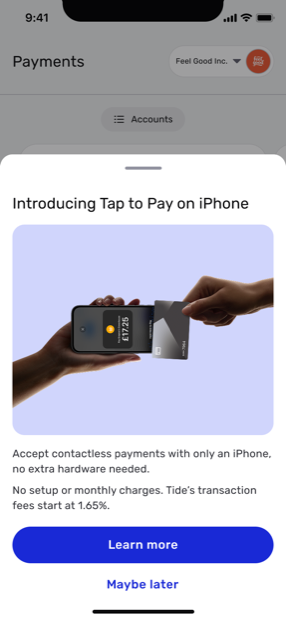
See it in action
What Tap to Pay feels like in the hand.
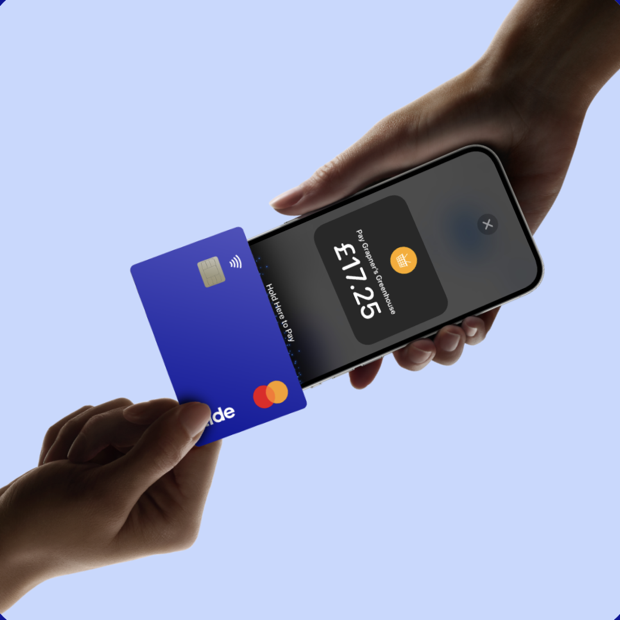
Micro-businesses turned away card-paying customers, or paid for, carried and charged a separate reader just to take one payment.
Tap to Pay on iPhone, designed end-to-end: a contextual intro, a sub-minute setup, a flow that handles taps and PINs, and settlement folded into one ledger.
£29.7M gross annual transaction revenue and a 4% lift in market share.
01 · The opportunity
A new market in our members' pockets.
When Apple opened up Tap to Pay on iPhone, it turned any recent iPhone into a contactless card reader, with no extra hardware. For Tide, whose core business was selling and supporting card readers, that was not a threat but an opening: a way for members to start taking cards with nothing but the phone already in their pocket.
Apple's Tap to Pay turned any recent iPhone into a card reader. For Tide's card-reader business, that was an opening, not a threat.
The timing was right. Most Tide members in the UK already carried a compatible iPhone, so the usual adoption hurdle, buy a device, wait for it, set it up, mostly fell away. Tap to Pay could reach the sole traders and pop-ups who would never invest in a dedicated reader, expanding the payments business rather than cannibalising it. My brief was to design that experience from scratch.
Most UK members already carried a compatible iPhone, so the "buy a device" hurdle vanished. My brief: design it from scratch.
02 · The problem
A sale you can't take is a sale you lose.
Tide's members are sole traders, market stalls and pop-ups, people who sell in person but rarely carry a card machine. Their customers had already moved to contactless, so a "cash only" moment wasn't a small inconvenience; it was a lost sale, walking out of the door.
Tide's members are sole traders and stalls who rarely carry a card machine. Their customers went contactless, so "cash only" meant a lost sale.
The obvious fix, a card reader, carried its own tax: another device to buy, another thing to remember, another battery to keep charged, another setup to get through. For someone taking a handful of payments a week, that overhead rarely made sense. The phone in their pocket, though, was always there and always charged.
A card reader is another device to buy, remember and charge. For a few payments a week it rarely paid off; the phone in their pocket was always there.
"I've lost customers at a stall because the only reader I owned was sitting at home on charge."
03 · Research
Learning how Britain pays.
This was the part that changed me most as a designer. I had designed for payments in India, where UPI is the reflex and most people are on Android. The UK runs on a different mental model: cards are the default, contactless is second nature, and Apple's penetration is deep. I could not design for that market by quietly assuming my own habits.
The part that changed me most. I'd designed for India, where UPI is the reflex. The UK runs on cards, so I couldn't assume my own habits.
So I went and listened. I spoke with 20 people across the UK about how they actually pay, day to day, and what runs through their mind when a stranger holds out a phone to take their money. Understanding payments the way they see them, rather than the way I was used to, is what shaped the trust, the wording and the pacing of the flow that followed.
So I listened: 20 people across the UK on how they actually pay. That shaped the trust, wording and pacing of the flow.
iPhone share of phones
Adults with a payment card
In the UK a card is the default: 95% of adults hold one, and card spend passed £1 trillion in 2024, around 60% of it contactless. In India, cards never became the everyday habit.
In the UK a card is the default: 95% of adults hold one and card spend passed £1 trillion in 2024. In India, cards never became the habit.
Sources: StatCounter, mobile OS share, 2025 · World Bank Global Findex, debit-card ownership, 2021 · UK Finance, 2024.
04 · Approach
Design the whole journey, not just the tap.
Apple's Tap to Pay on iPhone handled the hard technical part: turning the NFC chip into a contactless reader. My job was the trust and the journey around it: getting a first-timer from "I didn't know my phone could do this" to confidently taking money from a stranger, and knowing it landed.
Apple handled the hard part, turning the NFC chip into a reader. My job was the trust: a first-timer confidently taking money, and knowing it landed.
I mapped that journey into four moments and designed each so it could stand on its own, reusing Tide's existing Get Paid surface so the feature felt native, and respecting the constraints that shape every payment product: Apple's entitlement rules, contactless limits, and PCI.
I mapped the journey into four moments, each standing alone, reusing Tide's Get Paid surface so it felt native while respecting entitlements, limits and PCI.
- Discover: surface the feature where members already are
- Set up: earn trust in under a minute, then get out of the way
- Get paid: one loop for both a £5 tap and a £147 PIN
- Reconcile: land the money in the same ledger as everything else
05 · The flow
Four moments, one uninterrupted flow.
Here's the journey a member actually walks, from spotting Tap to Pay on their home screen to watching the settlement land. Each moment was designed to remove a specific hesitation.
The journey a member walks, from spotting Tap to Pay on the home screen to watching settlement land. Each moment removes a specific hesitation.
Discover
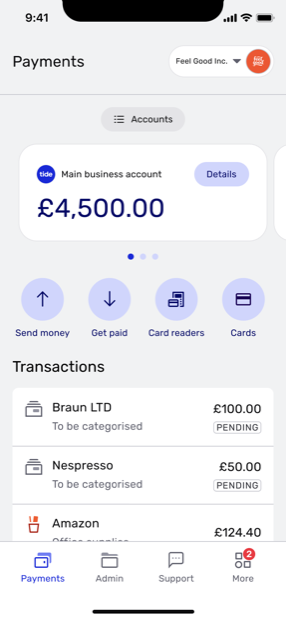
Tap to Pay had to feel like part of Tide, not a bolt-on. So it surfaces on the Payments home members open every day: a single prompt that states the value and the cost up front, before asking for anything.
Tap to Pay surfaces on the Payments home members open daily: one prompt stating the value and cost up front, before asking anything.
Set up
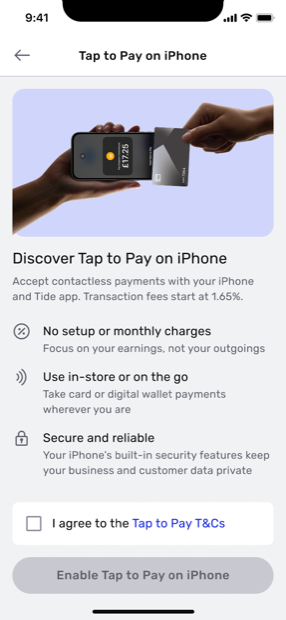
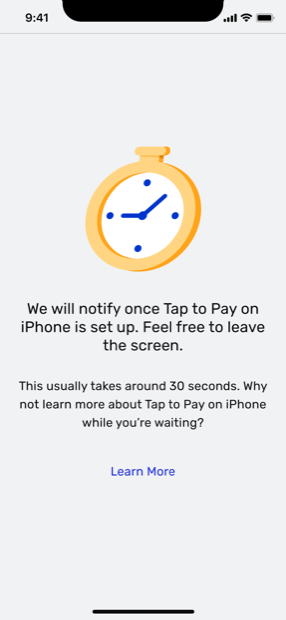
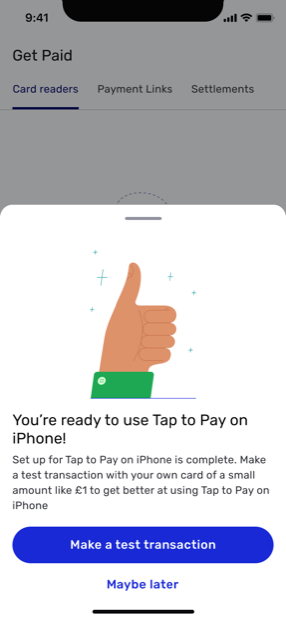
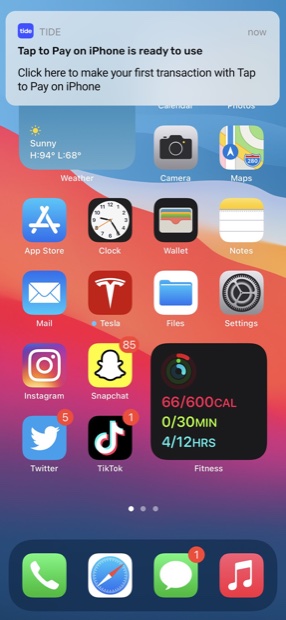
Setup is where a first-timer decides whether to trust it. I kept it to a single consent, let iOS provision the device in the background (~30s), and pushed a "ready to use" notification so members never have to sit and wait on a spinner.
Setup is where trust is won: one consent, iOS provisions in the background (~30s), then a "ready" push so no one waits on a spinner.
Get paid
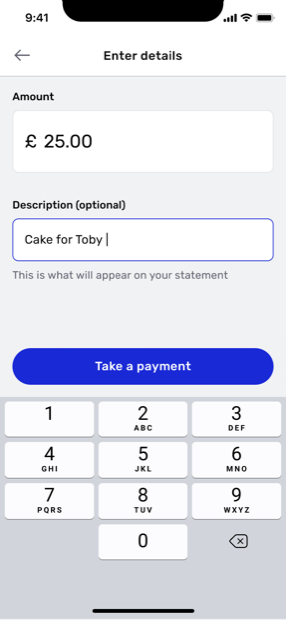
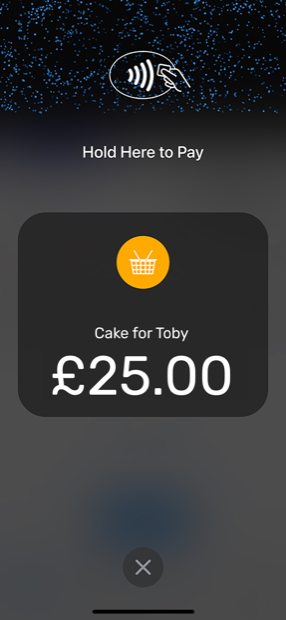
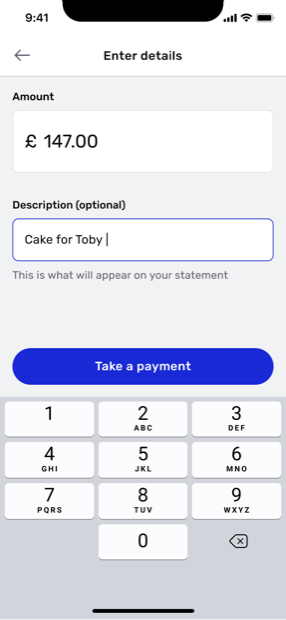
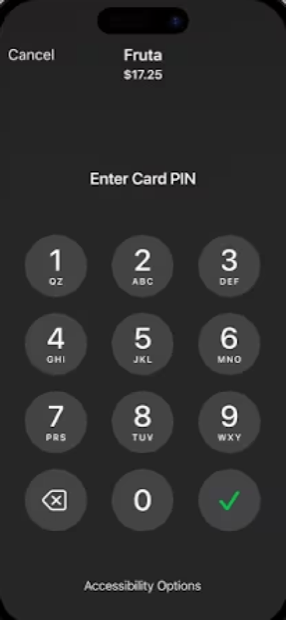
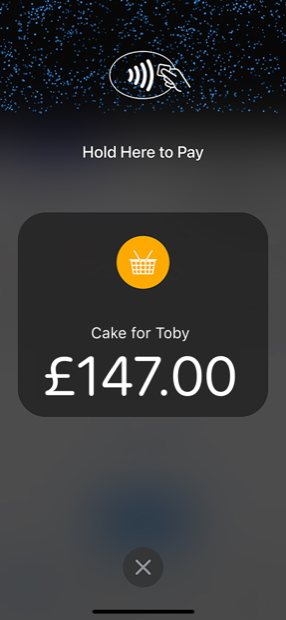
The core loop is two steps: enter an amount, hold out the phone. Below the contactless limit it's a single tap. Above it, the flow steps up to a card PIN captured securely on the member's own iPhone, so a £5 coffee and a £147 order feel like the same product.
Two steps: enter an amount, hold out the phone. Under the limit, one tap; above it, a secure PIN on-device, so £5 and £147 feel alike.
Reconcile
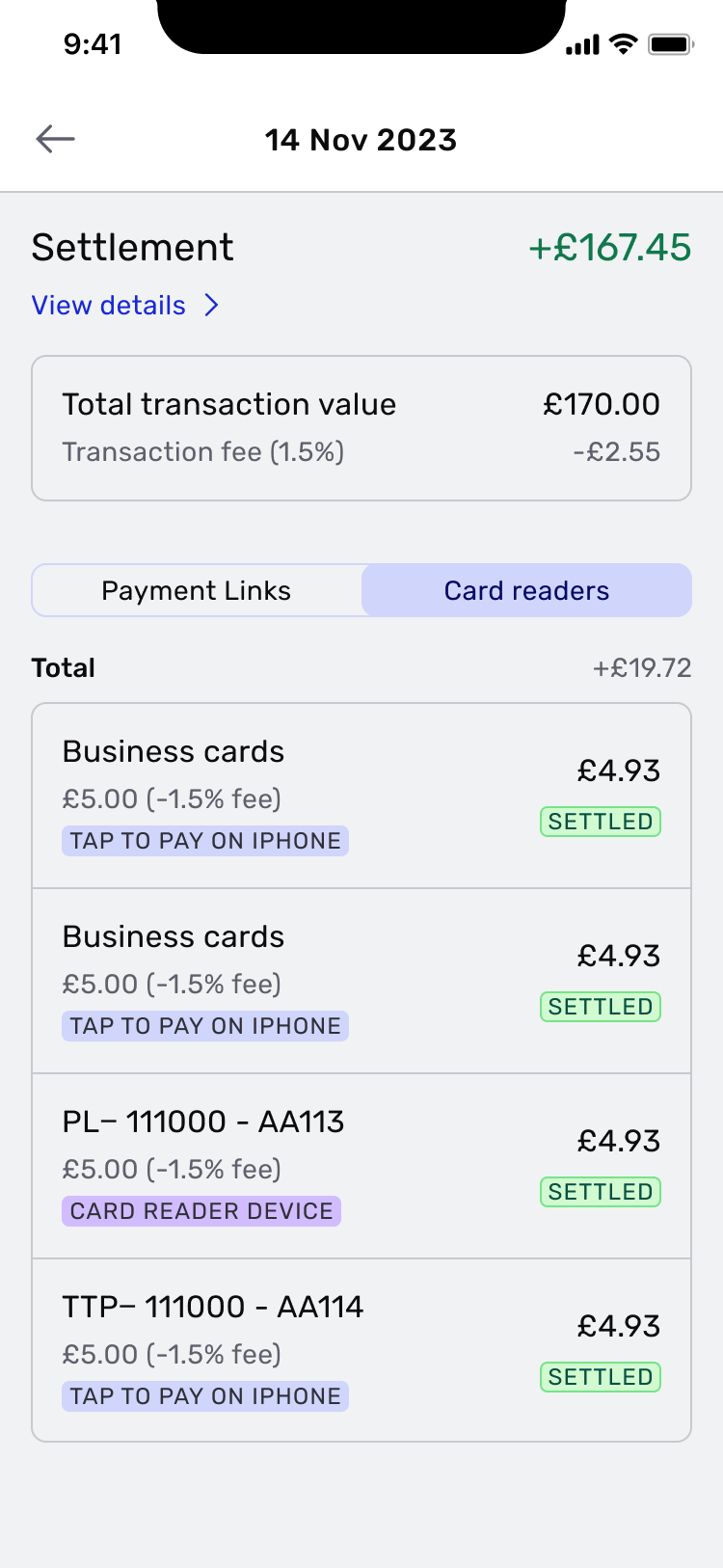
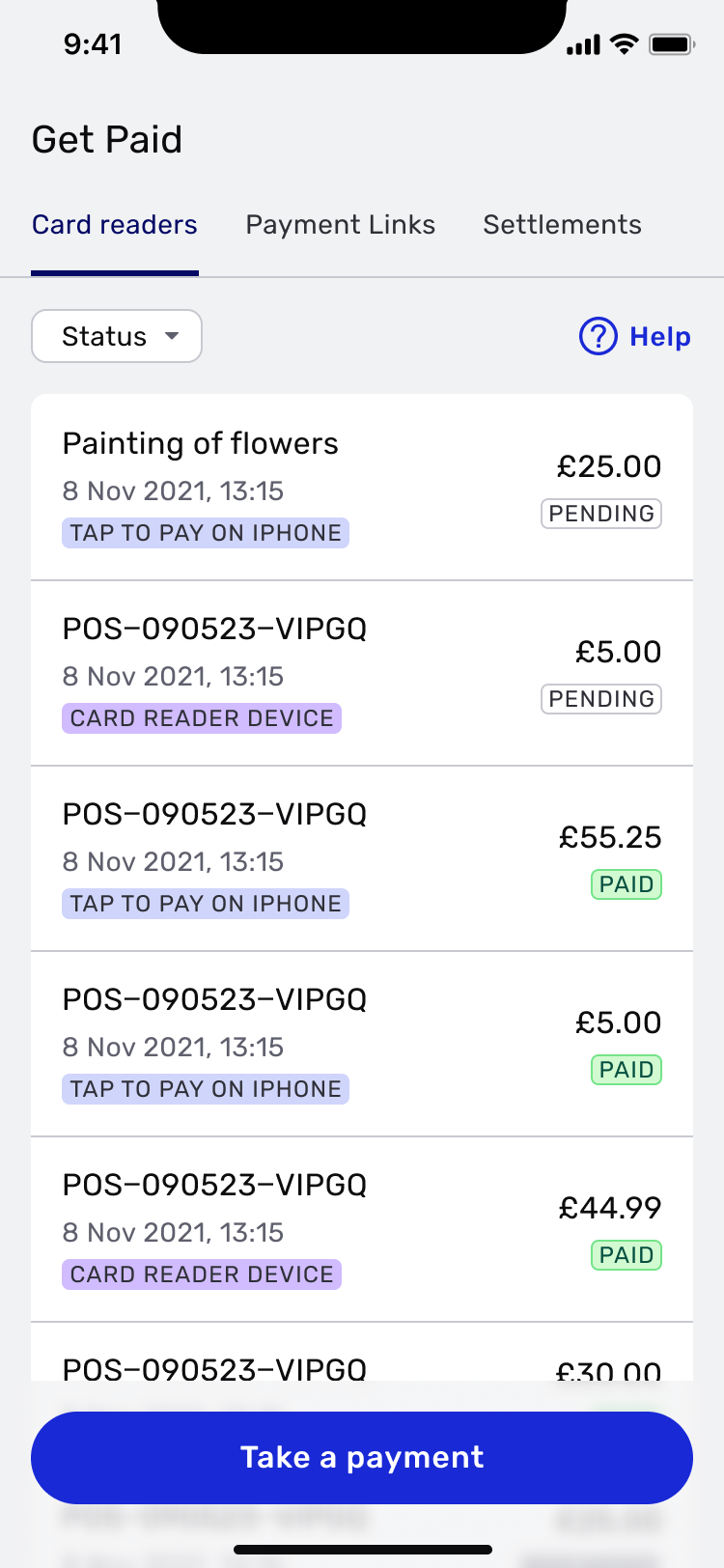
Getting paid is only half the job: members need to trust the money landed. Every Tap to Pay sale flows into the same Get Paid ledger as their other methods: clearly tagged, fees itemised, and reconciled into one settlement.
Getting paid is half the job; members must trust it landed. Every sale joins the same Get Paid ledger, tagged and reconciled.
Payment declines
The edge cases got attention too. When a card declines, the flow does not dead-end: it keeps the seller in the moment and offers other ways to get paid, another card, a digital wallet, or a payment link, so the sale is not lost.
When a card declines, the flow doesn't dead-end: it offers another card, a wallet or a payment link, so the sale isn't lost.
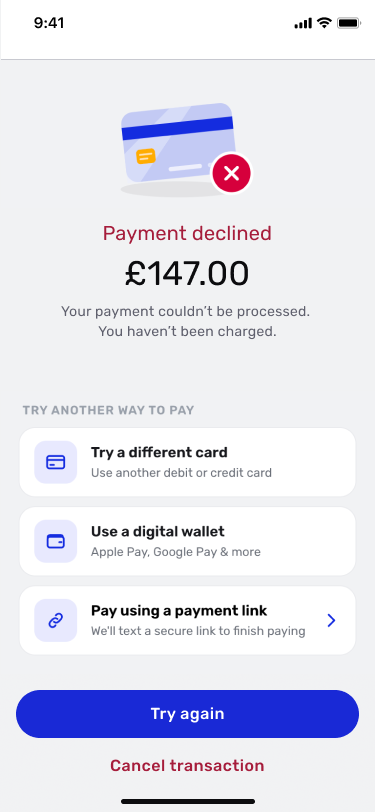
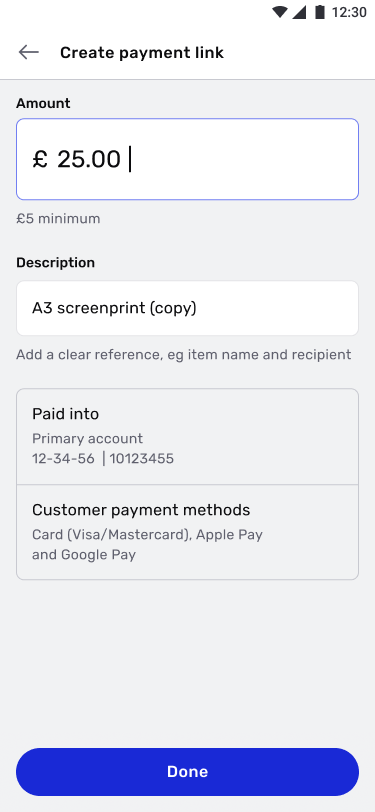
Choosing "Pay using a payment link" hands the customer a secure link to finish paying, so a decline becomes a detour, not a lost sale.
06 · Constraints
Designing inside Apple's rules.
Shipping on Apple's platform meant designing to Apple's guidelines, and they were strict. Apple required its own branding and framing wherever the feature appeared, which shaped copy and layout on almost every screen.
Shipping on Apple's platform meant strict guidelines: its branding and framing wherever the feature appeared, shaping copy and layout.
Always "Tap to Pay on iPhone", never just "Tap to Pay", in product and in marketing.
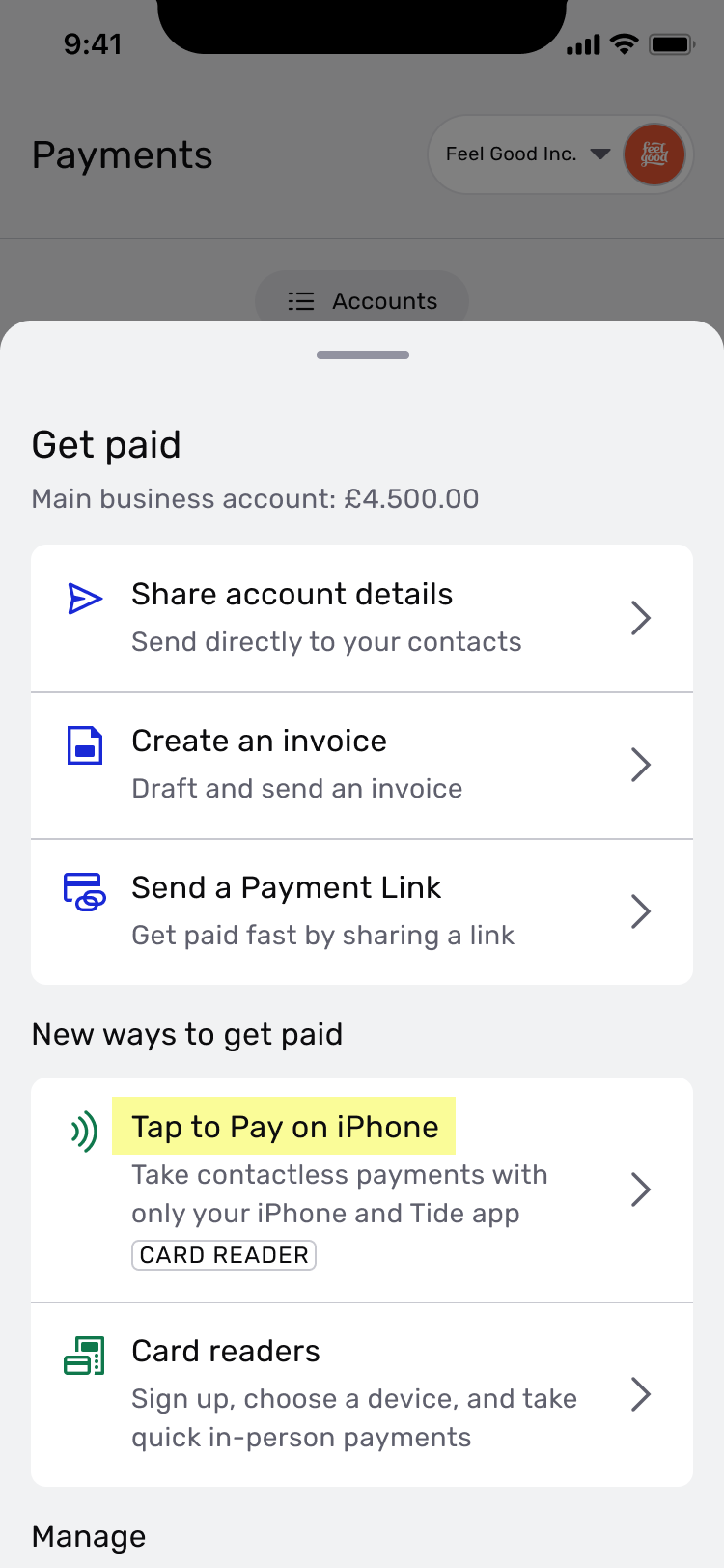
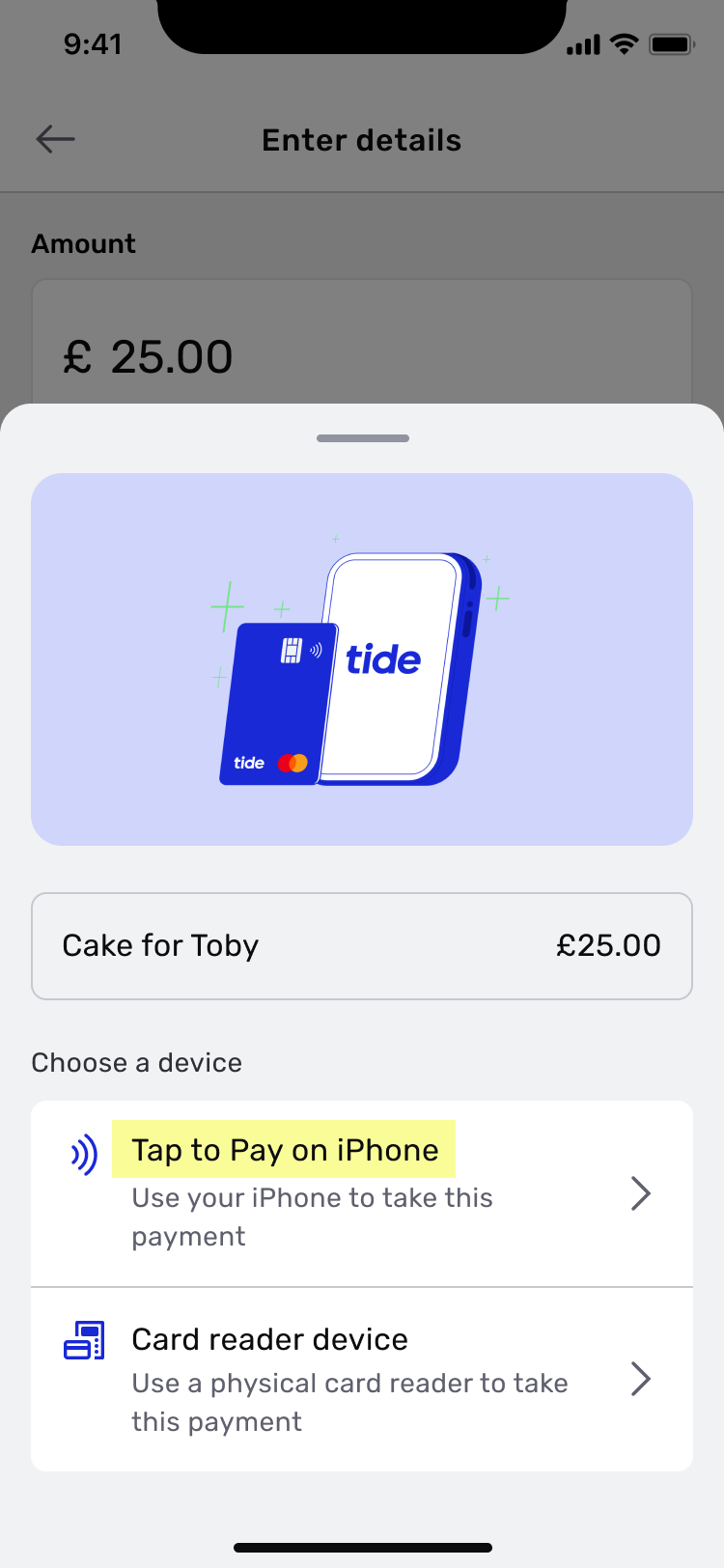
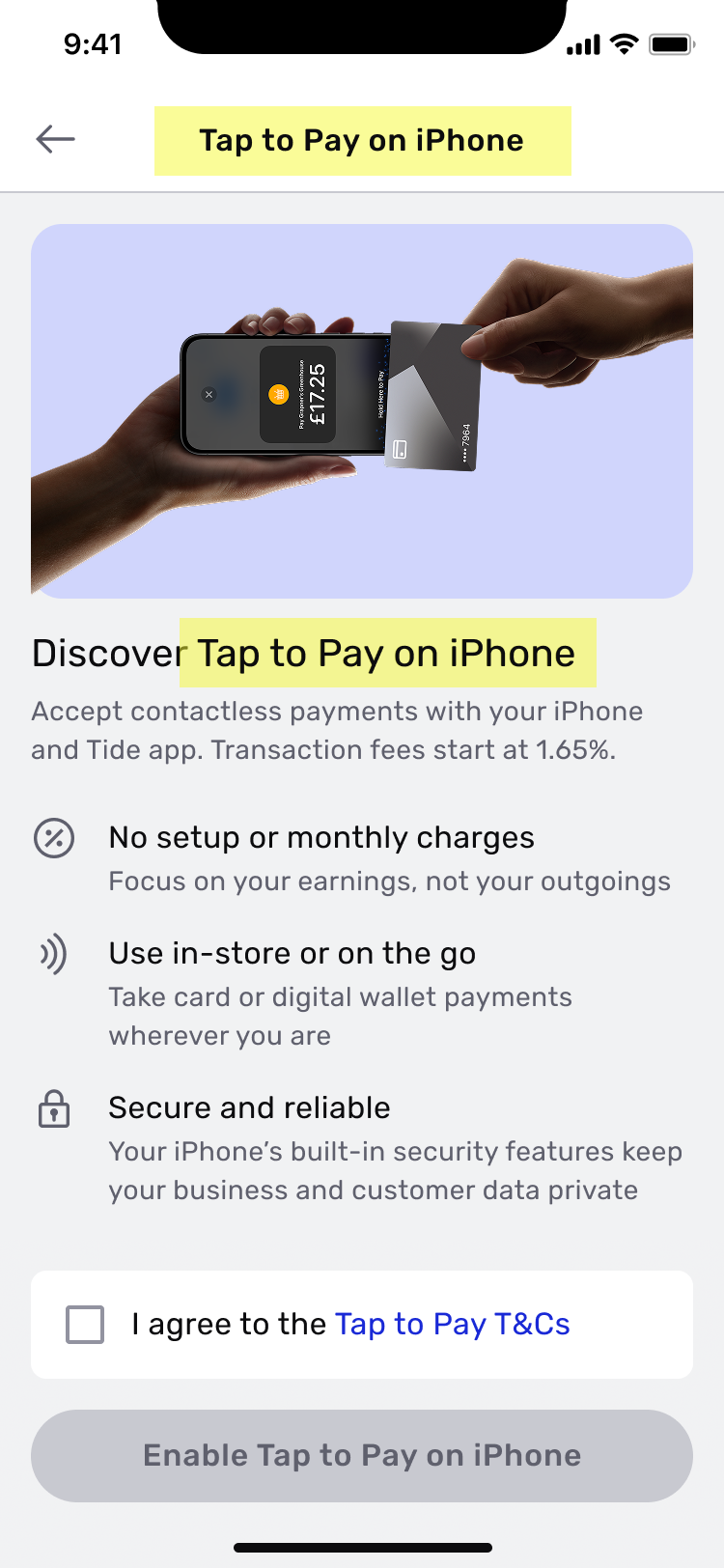
Every surface, from the Get Paid list to onboarding, spells out the full name.
Apple's official contactless videos to teach the tap, not Tide's own explainer.
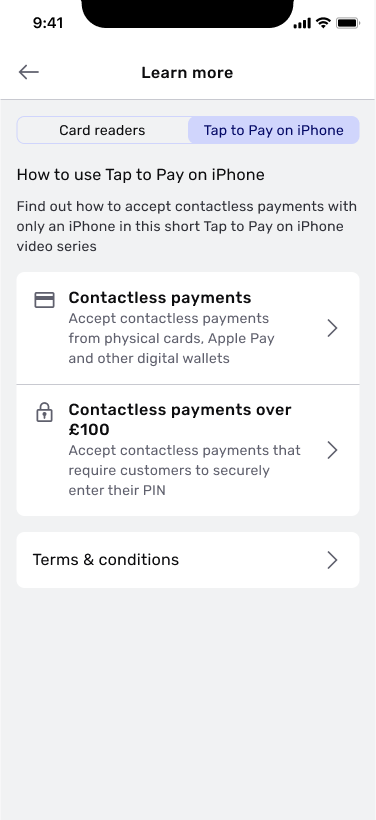
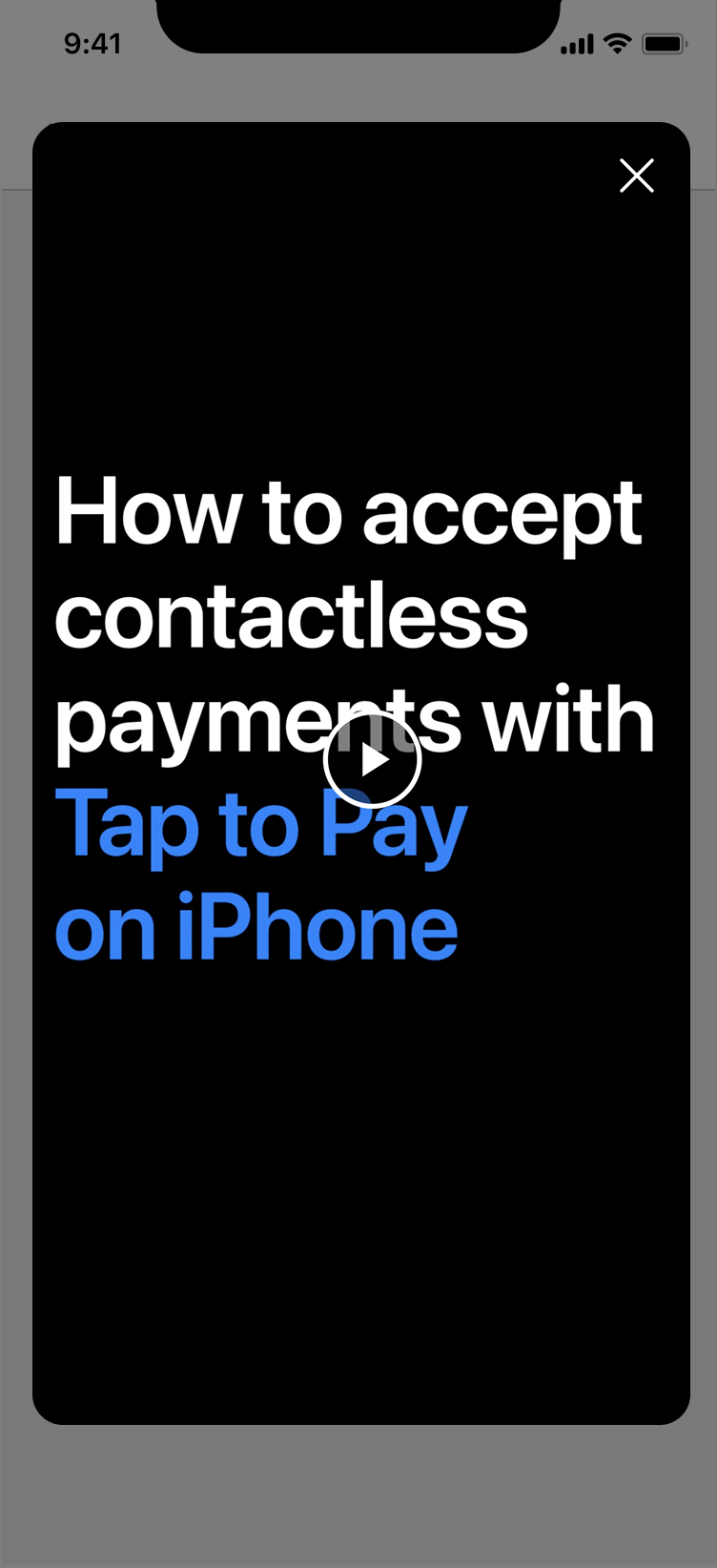
The "Contactless payments" row opens Apple's own video, not a Tide-made explainer.
Explicit Apple native screen anywhere it is being used.
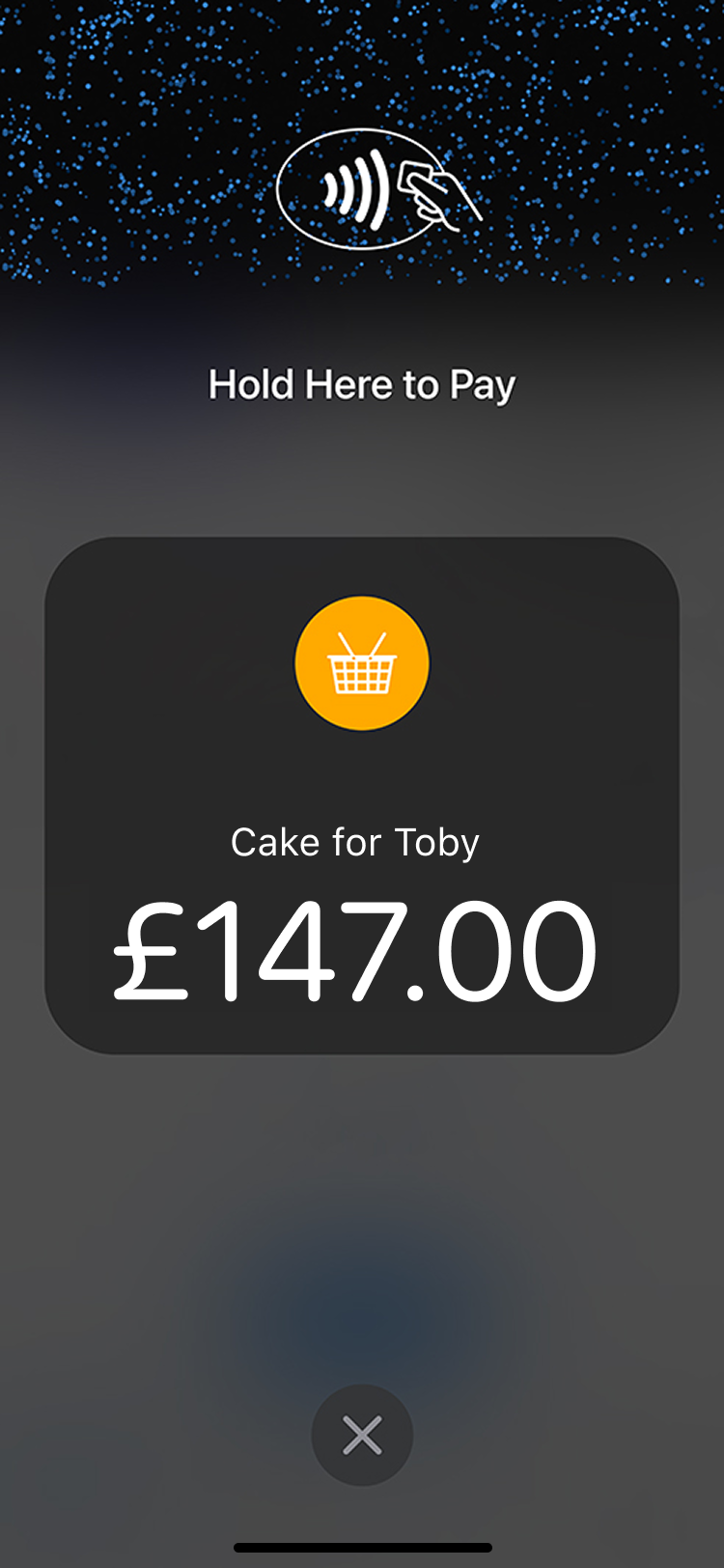
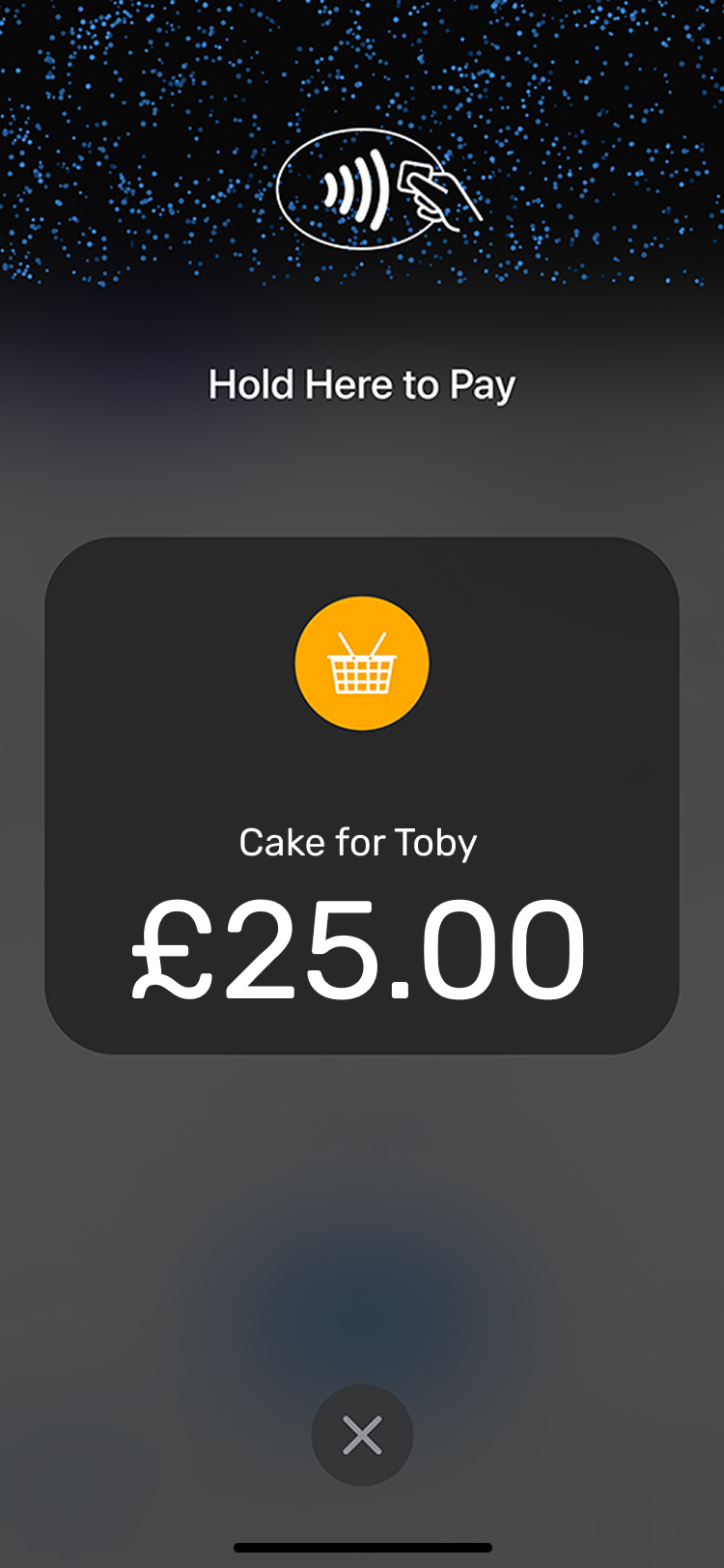
The tap-and-hold moment is Apple's own screen, shown exactly as Apple designs it.
The craft was staying inside these guardrails without the experience feeling bolted-on: keeping the flow unmistakably Tide while meeting every Apple requirement to the letter.
07 · Usability testing
Where 20 sellers got stuck.
We put Tap to Pay in front of 20 users with a full user guide. Taking money with your own phone is a genuinely new behaviour, so a few struggled with the feature at first. Three friction points came back clearly from the team, and each one shaped a fix in the final designs.
We tested Tap to Pay with 20 users and a full guide. Taking money by phone is new, so some struggled at first. Three friction points came back, each shaping a fix.
Understanding the feature
Users needed a walkthrough before their first tap.
So onboarding leads with Apple's official "how to tap" video, teaching the gesture before they go live.
When a payment failed
A decline left them lost: why did it fail, was I charged, how else can I get paid?
So the decline screen now says they weren't charged and offers another card, a wallet, or a payment link.
Finding it in history
Tap to Pay was hard to find in their transaction history.
So every sale joins the same Get Paid ledger, tagged, sitting beside card-reader and link income.
08 · Impact
New sellers, new volume, no hardware.
Beyond the headline numbers, Tap to Pay widened who could sell in person on Tide (the sole traders and pop-ups who'd never buy a reader) and pulled contactless volume into Tide's ledger, where it compounds with the rest of the account.
Beyond the numbers, Tap to Pay widened who could sell in person, the traders who'd never buy a reader, and pulled contactless volume into Tide's ledger.
Tap to Pay on iPhone runs on the same secure element as Apple Pay. Card numbers are encrypted by Apple and never touch the member's phone or Tide's servers in the clear. The "card machine" is the phone itself, and it forgets the card the instant the sale clears.
Tap to Pay runs on Apple Pay's secure element. Card numbers stay encrypted and never touch the phone or Tide's servers.